

AI optimization for WordPress means making your site easy for AI answer engines to crawl, understand, quote, and credit. In 2026, that includes clean technical access, factual page structure, entity clarity, llms.txt, AI-aware robots.txt rules, and content patterns that help ChatGPT, Claude, and Perplexity cite the URL and credit it accurately.
Classic SEO gets you found in Google. AI optimization gets your WordPress content considered inside generated answers, AI search, AI Overviews, ChatGPT search, Claude search, Perplexity results, and agent workflows. The shift is not “SEO is dead.” The shift is that ranking is no longer the only surface that matters.
By the end of this guide, you will know what changes for WordPress in 2026, which technical files matter, how to handle AI crawlers without opening everything blindly, how to structure content for citation, and how to build a practical audit process before AI answer engines decide your competitor is the clearer source.
What AI Optimization for WordPress Means in 2026
AI optimization for WordPress is the discipline of making your site accessible, understandable, and citeable for answer engines. It does not replace SEO. It adds a second layer: can an AI system find the page, identify the answer, trust the source, and point users back to the right URL?
For WordPress site owners, AIO sits between technical SEO, content design, structured data, and crawl governance. A normal SEO setup might give you clean title tags, XML sitemaps, canonical URLs, and schema. Those still matter. But AI systems also need clear answer blocks, visible text, stable URLs, entity context, source pages, and fewer layout barriers.
Google’s own guidance for AI features says the fundamentals of SEO still apply and that pages need to be indexed and eligible to appear with snippets to be shown as supporting links in AI Overviews or AI Mode. It also says there are no extra technical requirements or special schema needed for those Google features. That matters because AIO should not become fake markup or magic files. It should start with accessible, helpful, people-first pages.
For ChatGPT, Claude, and Perplexity, the story is broader. These tools may use search indexes, their own crawlers, user-triggered fetchers, partner systems, or a mix of retrieval methods. You cannot force citation. You can make citation easier.
A WordPress site is AI-ready when it can answer five questions cleanly:
- Can AI-related crawlers reach the pages you want cited?
- Can they see the important content in plain text, not only scripts or visual blocks?
- Can they identify who the page is for, what it answers, and why it is credible?
- Can they extract a short, accurate passage without rewriting half the article?
- Can they attribute the answer to a stable canonical URL?
That is the difference between “we published content” and “we published content that answer engines can use.”
Want a free score for your URL? Paste it into the AI-Readiness Audit — 28 checks, 30 seconds, no signup.
How ChatGPT, Claude, and Perplexity Find Sources
AI answer engines do not all discover sources the same way. Some use search indexes, some use dedicated crawlers, some fetch pages when a user asks a question, and some separate search visibility from model training. Your WordPress setup must account for those differences instead of treating every AI bot as one thing.
OpenAI’s crawler documentation separates several agents. OAI-SearchBot is used for ChatGPT search features, while GPTBot is used for content that may be used in training generative AI foundation models. OpenAI also lists ChatGPT-User for certain user-triggered actions, and notes that user-initiated actions may not follow the same robots.txt assumptions as automatic crawling.
Anthropic documents separate Claude agents too. ClaudeBot is tied to model development, Claude-User supports user-directed retrieval, and Claude-SearchBot supports search result quality. Anthropic says blocking the search bot may reduce visibility in user search results, while blocking the training bot signals exclusion of future material from training datasets.
Perplexity also separates crawler behavior. Its documentation says PerplexityBot is designed to surface and link websites in Perplexity search results and is not used to crawl content for foundation model training. It also lists Perplexity-User for user actions inside Perplexity. Perplexity’s help center says PerplexityBot respects robots.txt directives and will not index full or partial text content from pages that disallow it, while it may still index a domain, headline, and brief factual summary.
That means “block AI bots” is too blunt for many publishers. A better WordPress policy separates:
- AI search visibility
- AI user-requested retrieval
- AI training use
- security and crawl-rate protection
- paid content or gated content
- private content that should not be indexed anywhere
A practical policy might allow AI search bots, disallow training bots, and allow user-triggered fetchers only for public resources. Another publisher might block more aggressively. The right answer depends on your business model, content licensing policy, and appetite for AI visibility.
What you should not do is copy a random robots.txt snippet from a forum and assume it protects your content while preserving citations. In 2026, crawler identity is part of distribution strategy.
AIO vs SEO vs AEO: What Actually Changes
SEO, AEO, and AIO overlap, but they are not the same job. SEO improves visibility in search results. AEO focuses on concise answers. AIO prepares content and infrastructure for AI systems that retrieve, summarize, compare, and cite sources across answer engines.
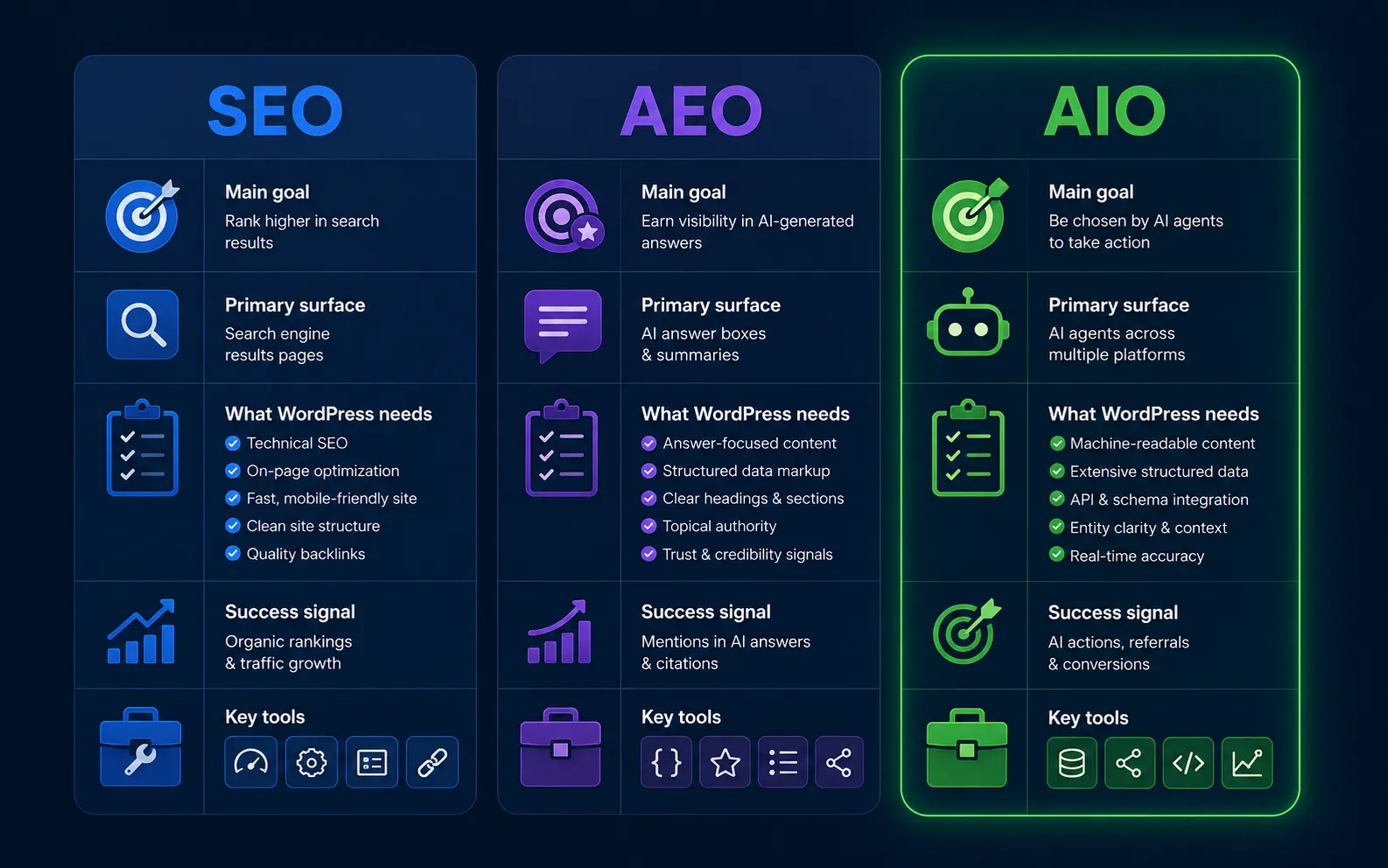
The mistake is treating AIO as another metadata field. It is not. It is a quality and accessibility layer across your site.
Classic SEO asks, “Can Google crawl, index, and rank this URL?”
AEO asks, “Can this page answer the query in a compact, useful way?”
AIO asks, “Can an AI system safely use this page as evidence inside a generated response?”
That last question changes the writing. It rewards paragraphs that stand on their own. It rewards headings that match real user questions. It rewards pages that cite their own basis clearly, especially for claims, comparisons, definitions, pricing, compatibility, and process steps. It also exposes weak content faster. Thin posts with vague advice are easy for AI systems to ignore because they do not add source value.
For WordPress, this usually means improving five layers:
- The technical layer: crawl access, canonicals, renderability, page speed, and firewall rules.
- The content layer: direct answers, definitions, examples, comparisons, and source clarity.
- The semantic layer: headings, HTML elements, schema, breadcrumbs, authors, and entities.
- The governance layer: robots.txt decisions,
llms.txt, indexation rules, and content freshness. - The measurement layer: AI referral tracking, citation monitoring, log-file checks, and content updates.
SEO still matters because many AI systems rely on web search, source discovery, and indexed pages. AIO matters because being found is not the same as being selected as the cited source.
Crawl Access: robots.txt, WAF Rules, and AI Bots
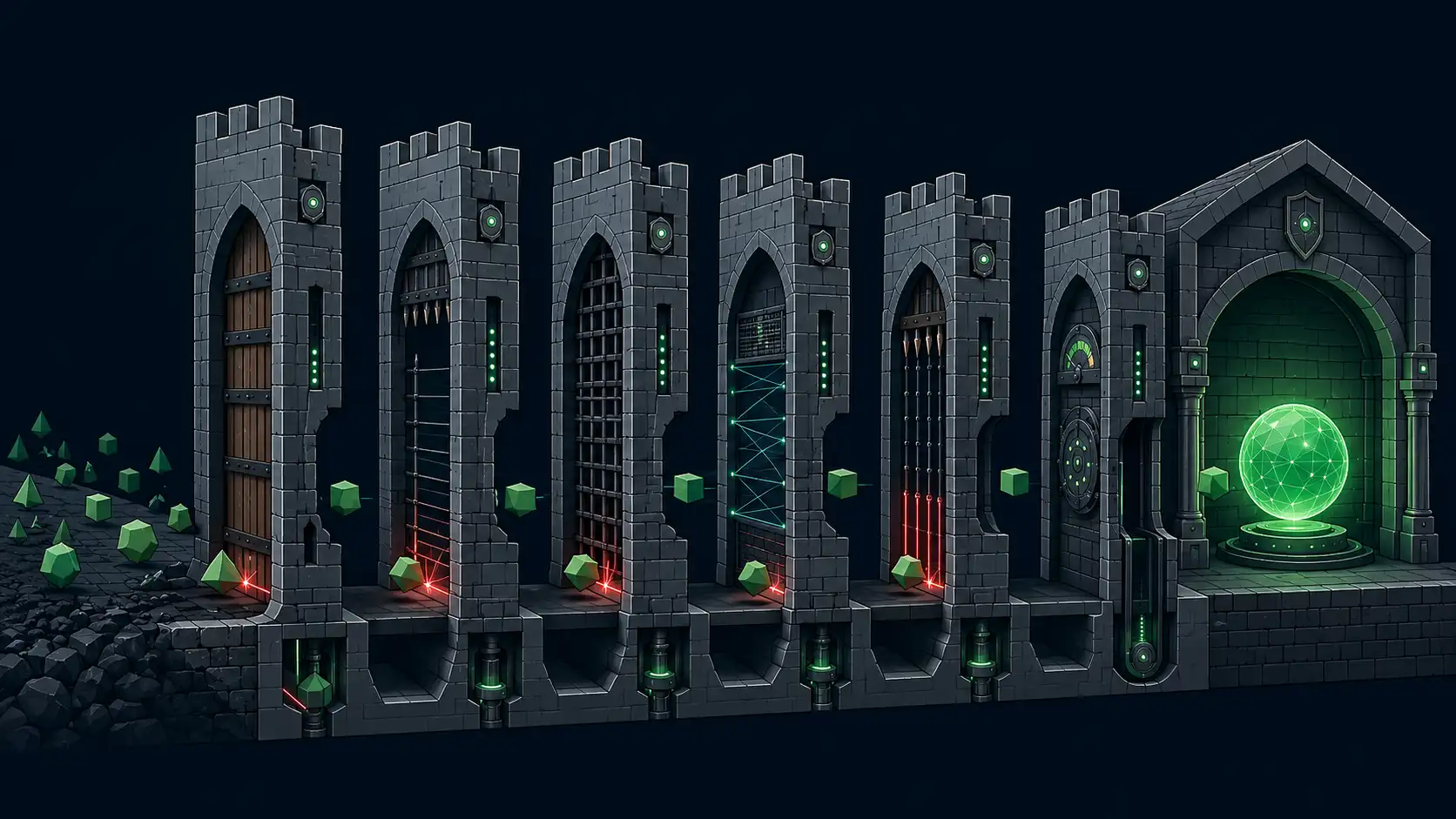
Your WordPress site cannot be cited if the right crawler cannot reach the right content. Robots.txt, CDN rules, bot protection, security plugins, and hosting firewalls all shape AI access. The goal is not to allow everything. The goal is to make deliberate access decisions by bot, use case, and content type.
Start with a policy. Do you want ChatGPT search visibility? Do you want Perplexity to index public pages? Do you want Claude user-requested retrieval? Do you want to opt out of training crawlers where possible? Put those answers in writing before editing robots.txt.
Then check your actual setup. Many WordPress sites have layered controls:
- WordPress reading settings
- SEO plugin indexation rules
- robots.txt output
- XML sitemap generation
- CDN bot fight mode
- WAF custom rules
- security plugin rate limits
- server-level blocks
- password protection on staging or private sections
The dangerous part is conflict. Your robots.txt may allow a bot, while Cloudflare, Sucuri, Wordfence, or a host firewall blocks it. Or your security plugin may challenge unknown user agents with JavaScript that AI crawlers cannot pass. From the outside, the page exists. To the bot, it is inaccessible.
A safer process is:
- List the bots you want to allow, limit, or block.
- Separate search bots from training bots where providers document that distinction.
- Allow public content only; keep admin, checkout, account, search result pages, and private files blocked.
- Verify that your WAF does not block approved bot user agents or their published IP ranges.
- Check server logs for response codes from AI-related bots.
- Test important URLs as anonymous, non-JavaScript clients.
- Recheck after plugin, CDN, or host changes.
For a deeper policy file, use our guide to robots.txt rules for AI bots. It should sit next to your SEO robots.txt policy, not replace it.
A simple principle works well: allow the bots that support the visibility you want, block or limit the ones that conflict with your policy, and never rely on robots.txt as a privacy control. Anything truly private should be behind authentication, not merely disallowed.
llms.txt: Give AI Systems a Clean Site Brief
llms.txt is a proposed Markdown file that gives language models a concise map of your site, key pages, and preferred context. It is not a ranking tag. It is a clean orientation file that can help AI tools and agents understand what your WordPress site contains and where the best source pages live.
The llms.txt proposal recommends placing a Markdown file at /llms.txt to provide LLM-friendly information, including brief background, guidance, and links to detailed Markdown files. The specification describes a structure with an H1, a short blockquote summary, optional context, and H2-delimited lists of resources.
For WordPress, that means your llms.txt should not be a sitemap dump. It should be a curated brief.
A good WordPress llms.txt can include:
- a one-paragraph description of the site
- the audience you serve
- your main content categories
- cornerstone guides and product pages
- important comparison pages
- documentation or help pages
- policies, pricing, and support pages where relevant
- notes on what content is canonical
- links to clean Markdown versions if you provide them
A poor llms.txt includes every tag archive, every thin blog post, outdated URLs, and vague labels such as “resources” with no description. That gives an AI system more noise, not more clarity.
Example structure:
# Example SaaS Blog

> Practical WordPress and AI search guidance for site owners, marketers, and technical SEO teams.

Use these pages for current guidance on AI optimization, WordPress crawl access, and citation-ready content.

## Core Guides

- [AI Optimization for WordPress](https://example.com/blog/ai-optimization-wordpress-2026): Main pillar guide on preparing WordPress for AI citations.
- [Robots.txt for AI Bots](https://example.com/blog/robots-txt-for-ai-bots): Policy examples for search, training, and user-requested AI crawlers.

## Product

- [AI Readiness Audit](https://example.com/tools/ai-readiness-audit): Tool for checking WordPress AI citation readiness.
The most important rule: keep it honest. Do not describe pages as authoritative if they are shallow. Do not include claims that the page itself does not support. Do not use llms.txt to hide weak content behind a cleaner summary.
For implementation details, examples, and WordPress-specific placement notes, read the complete llms.txt guide.
Structure WordPress Content So It Can Be Quoted
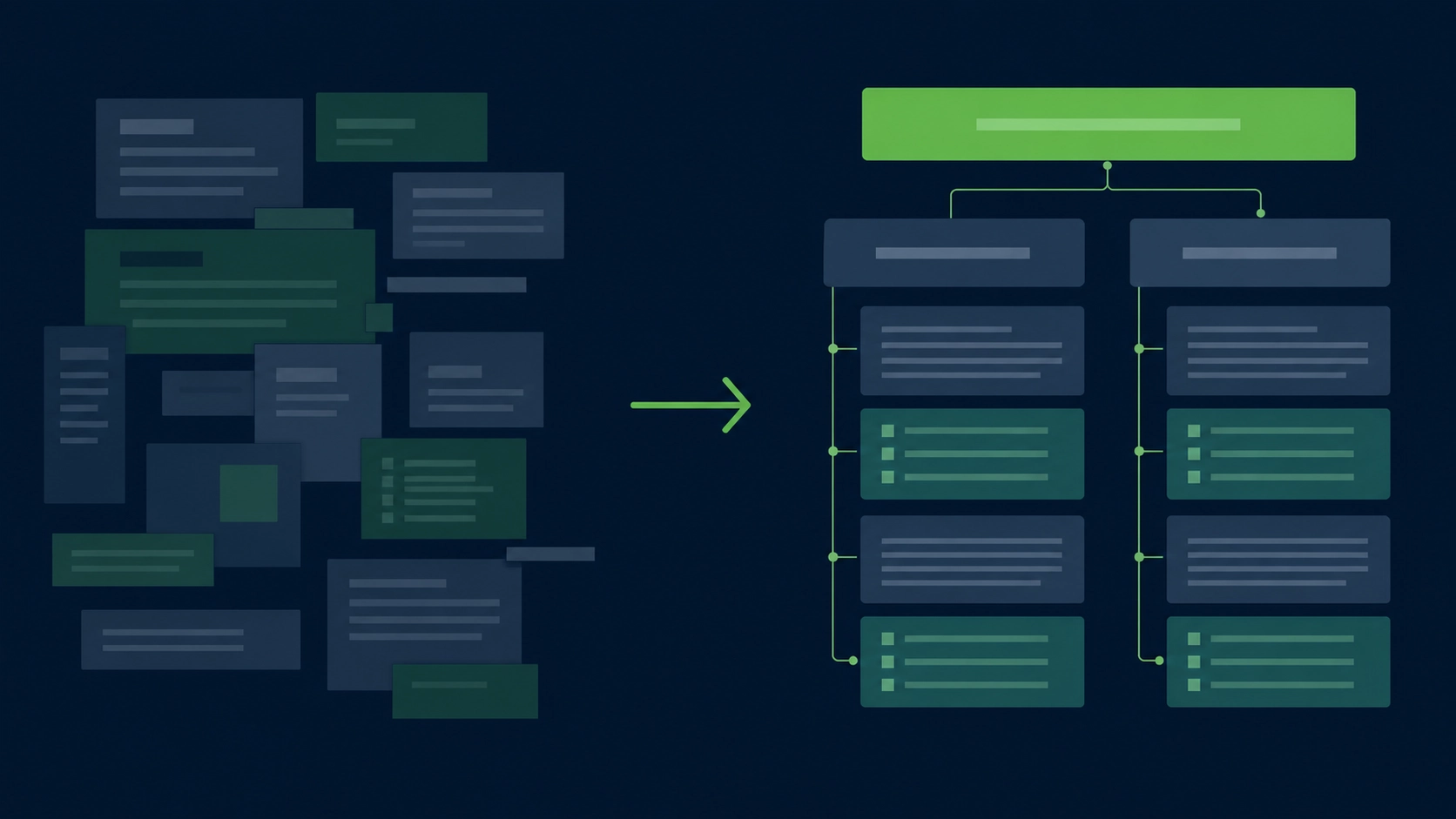
AI systems quote and summarize passages more easily when the page has clean structure. A WordPress page should expose the answer in visible text, group related facts under descriptive headings, use semantic HTML, and avoid burying important content inside tabs, sliders, images, scripts, or decorative blocks.
This starts with the editor. Gutenberg can produce clean content, but it can also produce nested blocks, empty wrappers, repeated heading levels, and visual sections that do not help machines understand the page. Page builders can make this worse if the final HTML is heavy, vague, or dependent on client-side rendering.
A citation-ready WordPress page should have:
- one clear H1
- H2s that match the user’s path through the topic
- H3s only when they clarify a subsection
- direct answer paragraphs after major headings
- tables for comparisons and criteria
- numbered steps for processes
- visible author and update information where relevant
- consistent internal links to source pages
- schema that matches the visible content
- a canonical URL that does not change
This is where semantic HTML for AI matters. An AI system does not need decorative wrappers. It needs signals that distinguish navigation, article body, headings, lists, tables, images, captions, bylines, and related links.
For example, compare these two patterns:
Weak pattern:
“Our platform helps teams achieve better results with smarter workflows.”
Strong pattern:
“A WordPress AI readiness audit checks whether AI crawlers can access your public pages, whether answer passages are easy to extract, and whether your content includes enough context for citation.”
The strong version is citeable because it defines a thing, states the criteria, and avoids vague praise.
Use the same logic across your site. Product pages should define what the product does. Comparison pages should state the evaluation criteria. Blog posts should answer the query early. Documentation pages should separate steps from explanation. Pricing pages should state current plan details without hiding the basics in scripts or images.
This does not make the content robotic. It makes the content easier to trust.
Build Citation-Friendly Pages, Not Just Optimized Pages

Citation-friendly content gives AI systems a reason to cite your URL instead of a competitor’s. It answers the question directly, defines key terms, states limits, uses examples, and keeps claims tied to visible evidence. It is not longer by default. It is clearer by design.
A strong citation pattern usually has four parts:
- A direct answer.
- A short explanation.
- Criteria, steps, or comparison.
- A source or next page for deeper context.
For informational content, start with a 40- to 60-word answer under each major heading. That paragraph should work even if lifted out of context. Then expand with nuance, examples, and edge cases.
For comparison content, define the criteria before the verdict. AI systems can cite a comparison more safely when the basis is visible.
For how-to content, use numbered steps and include the expected output. “Add llms.txt” is vague. “Create /llms.txt, add a site summary, list canonical guides, link only to current pages, and test that the file returns HTTP 200” is useful.
For product-led content, avoid turning every section into a pitch. AI answer engines are more likely to use pages that explain the problem clearly than pages that only claim superiority. Put the product where it belongs: as one practical option, not the only possible answer.
Useful page patterns include:
- “What is X?” definition block
- “When to use X” decision summary
- “X vs Y” criteria table
- “How to audit X” step list
- “Common mistakes” section
- “Example configuration” block
- “What to check before publishing” checklist
You can see more patterns in our guide to citation-friendly content patterns.
A simple test: if an AI answer engine quoted one paragraph from your page, would that paragraph be accurate, useful, and clearly tied to the article topic? If not, rewrite it.
Audit and Maintain AI Readiness Across WordPress
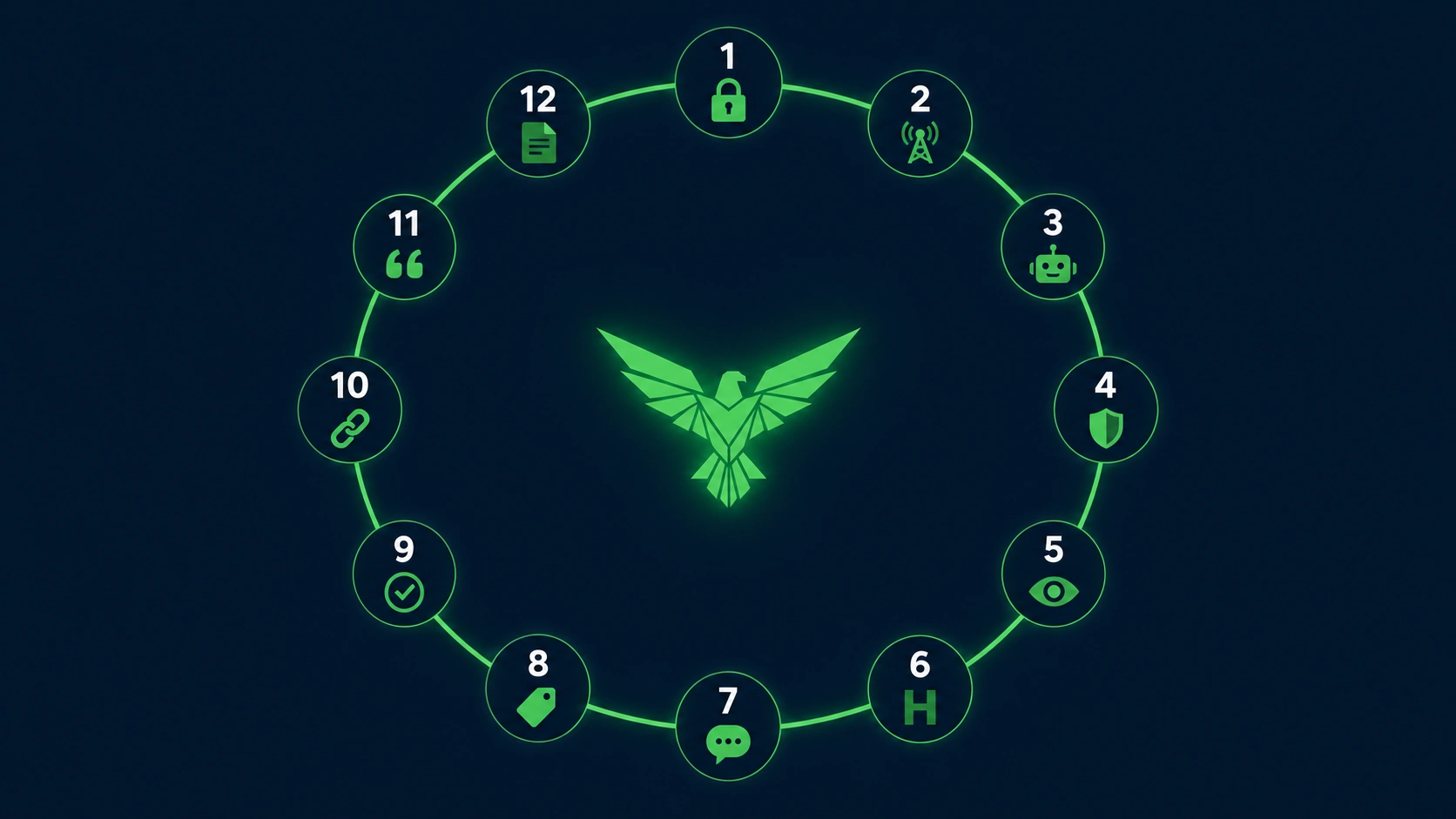
AI readiness is not a one-time setup. WordPress changes constantly through themes, plugins, builders, security rules, content updates, redirects, and hosting changes. A working AIO process audits crawl access, content structure, citation patterns, and technical signals on a repeatable schedule.
Use this audit process before you publish a pillar page and after every major site change:
- Check indexability. Confirm the page is not blocked by noindex, canonical mistakes, robots.txt, or accidental staging settings.
- Test crawl access. Verify that public pages return normal HTTP responses to approved crawlers and anonymous clients.
- Review AI bot policy. Confirm your robots.txt rules match your policy for search, user-requested access, and training crawlers.
- Inspect WAF behavior. Check whether CDN, host, or security plugin rules block bots you intended to allow.
- Validate visible text. Make sure core answers are present in HTML and not only in images, scripts, accordions, or embedded files.
- Review heading structure. Use one H1, meaningful H2s, and H3s that clarify rather than decorate.
- Add direct answer blocks. Put concise answers after important headings, especially for definitions and how-to sections.
- Check entity clarity. Name products, platforms, file types, bots, and standards consistently.
- Compare schema to content. Structured data should match what users can see on the page.
- Update internal links. Point from supporting posts to the pillar and from the pillar to deeper guides.
- Review source claims. Remove unsupported numbers, outdated platform details, and vague authority language.
- Refresh
llms.txt. Add the page only if it is important, current, and useful as a source.
You can audit your site against 28 AI-citation criteria when you want a faster first pass, then see every check we run if you need the full breakdown of all 150 checks across 13 areas.
Tooling matters, but it should not hide judgment. Yoast and Rank Math are useful for many SEO basics. A dedicated AIO workflow checks different failure points: AI crawler access, answer extraction, llms.txt, bot policy, citation blocks, and AI-readable structure. If you are choosing a plugin stack, read the honest Yoast / Rank Math / Aetos comparison before replacing tools that already work for classic SEO.
Frequently Asked Questions About AI Optimization for WordPress
AI optimization for WordPress raises technical, editorial, and policy questions because it affects both visibility and control. The right approach is not to chase every AI platform. It is to make public content clear, accessible, and citeable while deciding which crawlers and use cases fit your site.
What is AI optimization for WordPress?
AI optimization for WordPress is the process of preparing a WordPress site for AI answer engines, AI search tools, and AI agents. It includes crawl access, clean HTML, structured headings, concise answer passages, entity clarity, citation-ready content, schema consistency, and optional files such as llms.txt.
Is AI optimization different from SEO?
Yes. SEO focuses on search visibility and clicks. AI optimization focuses on whether an answer engine can understand, extract, and cite your content. They overlap because AI systems often rely on search and crawlable pages, but AIO adds more emphasis on passage clarity, bot access, and source trust.
Do I need llms.txt to appear in Google AI Overviews?
No. Google says there are no additional technical requirements or special machine-readable files needed to appear in AI Overviews or AI Mode, beyond existing eligibility and SEO fundamentals for Google Search. llms.txt may still help other LLM tools and agents understand your site.
Should I block GPTBot, ClaudeBot, or PerplexityBot?
It depends on your content policy. Many site owners separate AI search visibility from training use. For example, OpenAI documents OAI-SearchBot for ChatGPT search and GPTBot for model training use. Anthropic and Perplexity also document different bots or user agents for different purposes. Review each provider’s current documentation before editing robots.txt.
Can AI optimization guarantee citations in ChatGPT, Claude, or Perplexity?
No. No site owner can force an AI system to cite a page. AIO improves the conditions that make citation more likely: crawl access, clear answers, strong source pages, accurate structure, and reduced ambiguity. The final citation decision belongs to the AI platform and its retrieval system.
What should I fix first on a WordPress site?
Start with access and clarity. Confirm important pages are indexable, public, crawlable, fast enough to fetch, and not blocked by robots.txt, CDN rules, or security plugins. Then rewrite key sections so each page gives direct, extractable answers under clear headings. After that, add llms.txt, schema checks, and ongoing monitoring.