

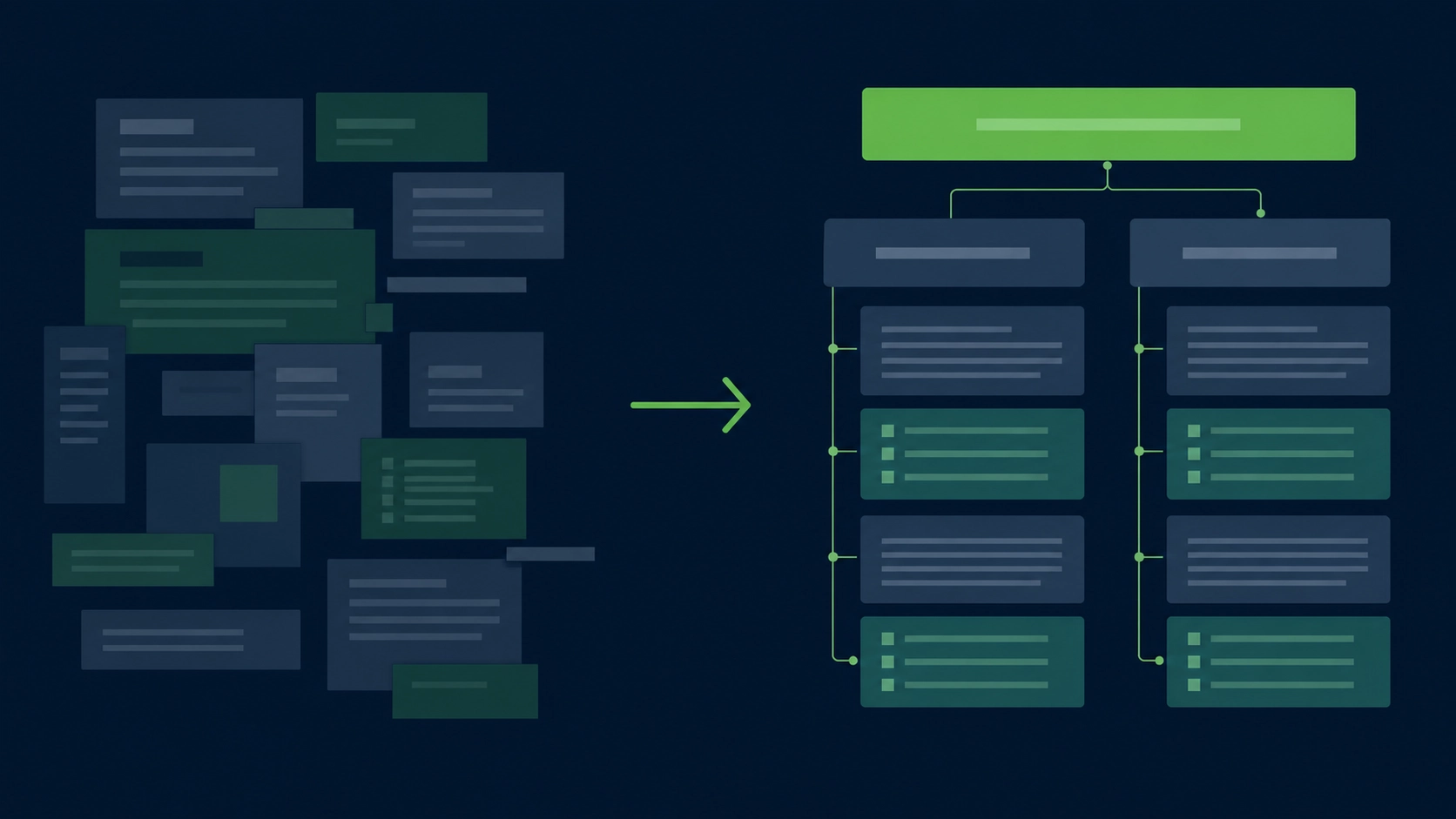
Classic SEO plugins can write titles, meta descriptions, canonicals, and schema. That helps.
But AI bots do not only read metadata. They also parse the structure of the page itself.
They look for signals like:
- where the main article starts
- which content is navigation
- which blocks are sections
- which date is the published or updated date
- which text is author or publisher information
- which content is supporting context, not the main answer
That is where semantic HTML matters.
A page built mostly from generic <div> containers may look fine to humans. But to crawlers, search engines, screen readers, and AI extraction systems, it can be harder to understand. HTML elements such as <article>, <section>, <nav>, <aside>, <time>, and <address> give meaning to content instead of only styling it. MDN defines <article> as a self-contained composition such as a blog post, product card, comment, or magazine article, and notes that publication time can be expressed with a <time datetime=""> element.
For WordPress site owners, the problem is simple: your page can look polished while its HTML is still vague.
Aetos SEO audits that gap.
What semantic HTML means in WordPress
Semantic HTML means using HTML tags according to the meaning of the content, not just the way the content should look.
A simple example:
<div class="post">
  <div class="title">AI Optimization for WordPress</div>
  <div class="date">May 10, 2026</div>
  <div class="content">...</div>
</div>
This may display correctly. But it does not tell machines much.
A more semantic version looks like this:
<article>
  <header>
    <h1>AI Optimization for WordPress</h1>
    <time datetime="2026-05-10">May 10, 2026</time>
  </header>

  <section>
    <h2>What AI optimization means</h2>
    <p>...</p>
  </section>
</article>
The second version gives the page a clearer structure.
It says:
- this is an article
- this is the main heading
- this is a real date
- this is a section of the article
- this content belongs together
WordPress can produce this kind of HTML. But whether it actually does depends on your theme, block setup, template files, page builder, and plugins.
That is why “I use WordPress” is not enough.
A WordPress site can have excellent semantic HTML. It can also be a pile of nested layout containers.
Why AI bots care more than humans
Humans can infer meaning from design.
If a heading is large and bold, a human understands that it is probably important. If a date appears below the title, a human understands that it is probably the publication date. If a box appears on the side, a human knows it may be related content or a callout.
Bots need stronger clues.
Search engines and AI systems can still parse messy pages, but cleaner HTML reduces ambiguity. Semantic tags help them separate the primary content from menus, ads, widgets, comments, sidebars, and template noise.
This matters for AI visibility because AI answers are built from extracted meaning. If your content is hard to isolate, quote, summarize, or attribute, it has less chance of being used cleanly.
Semantic HTML is not a magic ranking factor. It is not a guarantee of citations. But it improves the machine-readability of your content.
Google says structured data helps Google understand page content by giving explicit clues about meaning, but it also says the structured data should describe visible page content. The same principle applies here: the visible page and the machine-readable structure should agree.
Bad HTML creates friction.
Good HTML removes friction.
The 11 semantic elements that matter most
You do not need every HTML element. You need the ones that help machines understand the page.
Here are the 11 that matter most for WordPress SEO, AEO, AIO, and GEO.
| Element | What it should mark | Why it matters |
|---|---|---|
<main> |
The primary content area | Helps separate the page body from header, footer, and navigation |
<article> |
A standalone post, guide, product card, review, or comment | Helps bots identify content that can be reused, quoted, or summarized |
<section> |
A meaningful section with a heading | Helps divide long content into logical chunks |
<header> |
Introductory content for page or article | Useful for title, metadata, hero intro, and author details |
<footer> |
Closing metadata or footer content | Helps separate credits, legal links, and closing content |
<nav> |
Menus and navigation links | Prevents navigation links from being confused with article links |
<aside> |
Sidebar, related content, ads, secondary notes | Helps bots identify supporting content |
<time> |
Published or updated date | Gives dates a machine-readable value with datetime |
<address> |
Contact or author/publisher contact information | Useful for organization or author context when used correctly |
<figure> |
Image, chart, diagram, screenshot | Connects media to the article context |
<figcaption> |
Caption for a figure | Helps bots understand what the image or chart means |
MDN groups elements such as <article>, <section>, <nav>, <aside>, <header>, <footer>, and <address> under content sectioning, which is exactly the category WordPress themes often weaken when they rely on layout wrappers.
The mistake is not using <div>. Divs are fine for layout.
The mistake is using divs for everything.
A good rule:
Use semantic elements for meaning. Use divs for layout.
How to audit your WordPress theme
You do not need to be a developer to check whether your theme outputs semantic HTML.
Start with one important page:
- your homepage
- your top service page
- your best blog article
- your top product category
- your highest-converting landing page
Then audit the rendered page, not the WordPress editor.
Step 1: View the page source
Open the page in Chrome.
Right click → View Page Source.
Search for:
<main
<article
<section
<nav
<aside
<time
<address
<figure
<figcaption
This gives you a fast first impression.
Step 2: Inspect the real rendered HTML
Right click on the article title → Inspect.
Check what wraps the content.
You want something like:
<main>
  <article>
    <header>
      <h1>...</h1>
      <time datetime="...">...</time>
    </header>

    <section>
      <h2>...</h2>
      <p>...</p>
    </section>
  </article>
</main>
You do not want this:
<div>
  <div>
    <div>
      <div>
        <h1>...</h1>
      </div>
    </div>
  </div>
</div>
That does not automatically make the page bad. But it gives bots less structural help.
Step 3: Check dates
If your article shows “Last updated May 2026,” inspect it.
A good pattern:
<time datetime="2026-05-10">May 10, 2026</time>A weak pattern:
<span>May 10, 2026</span>The second version looks the same to humans. The first version is clearer for machines.
Step 4: Check images and diagrams
A long article should not use images as decoration only.
A strong pattern:
<figure>
  <img src="audit-process.webp" alt="A four-step AI-readiness audit process">
  <figcaption>The four stages of an AI-readiness audit.</figcaption>
</figure>
This is much clearer than a naked image inside a layout div.
Step 5: Run an automated audit
Manual inspection is useful, but it is slow.
Aetos SEO is designed to flag semantic issues automatically, then connect them to AI-readiness, answer extraction, and structured data consistency.
The goal is not to shame your theme.
The goal is to show what your published page actually exposes to bots.
Fixing semantic HTML with Gutenberg blocks vs theme override
There are two levels of fixes: content-level fixes and theme-level fixes.
Start with content-level fixes. They are safer.
Fixes you can make with Gutenberg
Gutenberg cannot turn your whole template into perfect semantic HTML, but it can improve the content layer.
Use these patterns:
| Problem | Gutenberg fix |
|---|---|
| Long wall of content | Break it into real sections with H2 and H3 headings |
| Important comparison | Use a table or structured cards, not loose paragraphs |
| Visual explanation | Use Image block with clear alt text and caption |
| Process explanation | Use ordered lists |
| FAQ section | Use clear question headings and direct answers |
| Reusable content | Use patterns carefully, but avoid bloated nested containers |
WordPress core blocks are the standard components for creating page content in the block editor. The official WordPress block list includes text, media, design, widget, theme, and embed blocks, so most site owners can improve content structure without touching PHP.
For AI readability, the most important Gutenberg habit is simple:
Do not fake structure with font size.
Use real headings.
Bad:
<p><strong style="font-size:28px;">What is semantic HTML?</strong></p>Good:
<h2>What is semantic HTML?</h2>Fixes that need a theme override
Some issues live outside the editor.
Examples:
- the post template does not use
<article> - the main content area is not wrapped in
<main> - dates are rendered as plain spans
- author information has no structured wrapper
- sidebar content is not inside
<aside> - navigation menus are not inside
<nav>
These usually require one of three approaches:
- theme settings
- child theme template override
- hook/filter customization
For example, GeneratePress documents hooks that allow code to be inserted into theme locations, and also exposes filters for schema-related output. Kadence documents default microdata schema output and explains when to disable it if another SEO plugin handles schema, which shows that theme-level structured output can conflict with plugin-level schema if not managed carefully.
The safest rule:
Do not edit theme files directly.
Use:
- a child theme
- theme hooks
- theme filters
- a trusted developer
- or a plugin that manages this safely
Three popular WordPress themes scored: Astra, GeneratePress, Kadence
This is not a permanent score for every site using these themes.
A theme’s semantic quality depends on:
- theme version
- starter template
- page builder
- custom header/footer builder
- WooCommerce templates
- SEO plugin
- schema plugin
- child theme edits
- custom blocks
So treat these as practical defaults, not final judgments.
| Theme | Semantic HTML baseline | Schema/microdata posture | Risk level | Practical score |
|---|---|---|---|---|
| Astra | Good | Strong SEO/schema claims in public theme listing | Medium | 8/10 |
| GeneratePress | Good | Developer-friendly hooks and schema filters | Low-medium | 8.5/10 |
| Kadence | Good | Built-in microdata schema controls | Medium | 8/10 |
Astra
Astra is one of the most widely used lightweight WordPress themes. Its WordPress.org listing describes it as fast, mobile-first, SEO-friendly, and says schema markup is built in. It also lists 1+ million active installations.
That is a strong baseline.
The risk is not Astra itself. The risk is what happens after a site owner adds:
- a heavy page builder
- a starter template with nested containers
- custom landing page sections
- multiple schema plugins
- WooCommerce add-ons
- AI-generated content blocks
Astra can be clean. An Astra site can still be messy.
GeneratePress
GeneratePress has one of the strongest reputations for lightweight output. Its WordPress.org listing says a fresh install adds less than 10kb gzipped to page size, uses valid HTML/CSS, and supports the block editor. It also lists 500,000+ active installations.
For semantic HTML, GeneratePress is often a strong choice because it stays close to WordPress standards and gives developers hooks and filters.
The risk is that site owners often pair it with custom layouts, GenerateBlocks, or third-party builders. The final HTML can be excellent or over-wrapped depending on implementation.
Kadence
Kadence is also a strong modern WordPress theme. Its WordPress.org listing describes it as lightweight, accessible, fast-loading, and equipped with a drag-and-drop header and footer builder. It lists 500,000+ active installations.
Kadence also documents built-in microdata schema and a performance setting to enable or disable it. That is useful, but it introduces a common risk: duplicate or conflicting schema if another SEO plugin also outputs structured data. Kadence explicitly notes that duplicate schema can conflict when multiple tools handle it.
Kadence can be a strong base. But it needs careful schema coordination.
The honest answer
Astra, GeneratePress, and Kadence are not the problem.
The problem is assuming a good theme guarantees AI-readable HTML.
It does not.
The only reliable answer is to audit the rendered page.
Structured data alongside semantic HTML
Semantic HTML and structured data are not the same thing.
They work together.
Semantic HTML gives the page visible structure:
<article>
  <h1>Semantic HTML for AI Bots</h1>
  <time datetime="2026-05-10">May 10, 2026</time>
</article>
Structured data gives machines explicit metadata:
<script type="application/ld+json">
{
  "@context": "https://schema.org",
  "@type": "TechArticle",
  "headline": "Semantic HTML for AI Bots",
  "datePublished": "2026-05-10",
  "publisher": {
    "@type": "Organization",
    "name": "Aetos SEO"
  }
}
</script>
You need both.
If your visible page says one thing and your schema says another, that is a trust problem.
Google’s structured data guidelines say structured data should describe the content on the page and should not describe content that is not visible to users. Google also does not guarantee rich result appearance even when markup is technically valid.
For AI-readiness, the same standard is useful:
- visible page content
- semantic HTML
- structured data
- author/publisher signals
- dates
- media captions
- internal links
All should tell the same story.
That is the point of an audit.
Not more metadata.
Better alignment.
Run the quick test
Open one of your important WordPress pages.
Search the source for:
<main
<article
<time
<address
<figure
<figcaption
If you find none of them, your page may still rank.
But it is making machines work harder than necessary.
Aetos SEO exists for that gap: the space between “my page looks good” and “my page is easy for AI systems to understand, extract, and cite.”
Where this fits in the wider strategy
Semantic HTML is one layer. Pair it with robots.txt rules for AI bots so citation crawlers can actually reach the page, llms.txt for WordPress so AI systems get a curated map, and the AIO pillar guide for the full strategy.
Want Aetos to check semantic HTML and 27 other AI-citation criteria automatically? Run the free AI-Readiness Audit — paste any URL, score in 30 seconds.